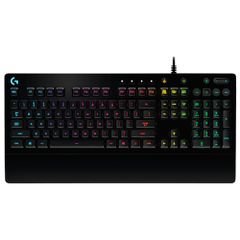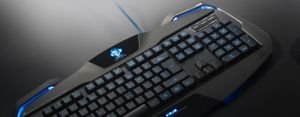


Experience superior typing and gaming performance with the Jertech JK510 Mechanical Keyboard, expertly crafted for users who require both Arabic and English layouts. Combining robust mechanics with a sleek, modern design, the JK510 is the ideal choice for offices, homes, and dedicated gaming setups alike.
The Jertech JK510
features 87 mechanical keys equipped with Blue Switch technology, delivering tactile feedback and a distinctive click with every press. This ensures fast, accurate typing and responsive gaming, perfect for users who demand precision and speed. The keyboard boasts customizable RGB lighting modes, allowing you to personalize your workspace or gaming environment with vibrant, dynamic effects.
Technical
Specifications
- Brand: Jertech
- Model: JK510
- Color: Elegant black, suitable for professional and gaming spaces
- Key Type: Mechanical (Blue Switches)
- Number of Keys: 87
- Language: Arabic and English, catering to diverse user needs across the region
- Connectivity: USB cable for reliable, fast connection to any desktop or laptop
- Lighting: Multi-mode RGB customizable backlighting for a personalized experience
- Origin: Engineered by Jertech, guaranteeing quality and durability
Features
- Exceptional responsiveness and speed thanks to high-quality mechanical switches
- Dual-language support (Arabic & English) for seamless switching between tasks
- Striking RGB lighting to enhance focus and create a visually appealing environment
- Compact 87-key design, perfect for limited spaces without sacrificing essential functions
- USB connectivity for simple plug-and-play installation
Use Cases
The Jertech JK510 is perfectly suited for offices, study rooms, group gaming sessions, and professional work environments. Its sturdy build and fast performance make it an excellent choice for students, office workers, and digital content creators seeking reliability and efficiency.
Benefits
- Boost productivity with rapid key response and smooth typing
- Reduce finger fatigue during extended writing or gaming sessions
- Elevate your gaming experience with professional-grade accuracy and control
Care Instructions
To maintain the keyboard’s quality, regularly clean the surface with a dry cloth and mild cleaner, avoiding liquid spills. Disconnect the USB cable when not in use for extended periods, and store in a dry, dust-free environment for optimal longevity.