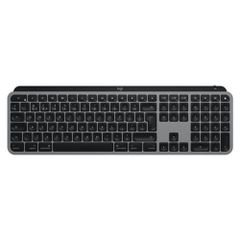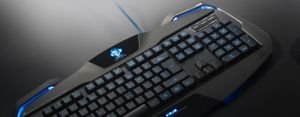


NZXT FUNCTION 2 MINI TKL Optical Wired English Keyboard NS027733
Elevate your typing and gaming experience with the NZXT FUNCTION 2 MINI TKL Optical Keyboard (Model: NS027733), the ideal choice for both professionals and enthusiasts. Designed for efficiency and style, this compact keyboard is perfect for limited spaces—be it your office desk, gaming setup, or while on the move. NZXT, a global leader in PC accessories, delivers this meticulously engineered keyboard to combine high performance with practical usability.
Technical
Specifications
- Brand: NZXT
- Model: NS027733
- Keyboard Type: Optical
- Size: Tenkeyless (without numeric keypad)
- Switch Type: Purple – Clicky & Light
- Language: English
- Color: Black
- Connectivity: Wired & Wireless
Features
- Ultra-responsive optical switches ensure lightning-fast performance and precise input for both typing and gaming.
- Compact Tenkeyless design fits tight spaces and allows greater mouse movement freedom.
- Purple switches offer a distinct, tactile click with a light touch, reducing finger fatigue during long sessions.
- Dual connectivity modes: Use wired connection for reliable performance during intense gaming, or switch to wireless for everyday convenience.
- Durable black chassis provides a sleek, modern look and withstands heavy
usage.
Use Cases
The NZXT FUNCTION 2 MINI TKL Keyboard is perfect for gamers who demand swift, accurate control and for office users who need a compact, reliable keyboard for comfortable, seamless typing. Its lightweight, portable design also makes it suitable for home offices, modern workspaces, gaming rooms, and even while traveling.
Benefits
- Boost your response time in games and typing thanks to advanced optical switch technology.
- Save valuable desk space for better organization or additional accessories.
- Reduce hand fatigue with light, smooth keystrokes.
- Flexible
usage options between wired and wireless connectivity to suit any environment or preference.
Care Instructions
- Clean the keyboard regularly with a dry, soft cloth to maintain its appearance.
- Avoid exposure to liquids or excessive dust.
- Unplug the keyboard during cleaning or when not in use for extended periods.
- Use a protective case when transporting to preserve the chassis and keys.